What is Claude Code?
Claude Code is a major innovation from Anthropic (OpenAI followed up with a clone called Codex; an open source alternative is called OpenCode). The idea is simple (which makes it even better).
- Instead of copy/pasting code back and forth from Chat interfaces (like ChatGPT or Claude), Claude Code is a tool that simply writes directly onto your computer.
- Instead of using complicated editors and heavy software, the tool is made to live directly in the terminal. This allowed Anthropic to quickly develop a robust tool, and to focus on the main ideas.
- Instead of editing code or documents yourself, you describe to the AI what you want to be changed. By design, you use it as an agent.
It started as a simple idea but proved to be revolutionary in software development. Quickly, people also realized its usefulness for working with other documents, like PowerPoint or Excel files.
Better safe than sorry
Even though Claude Code usually has good intentions, it might accidentally do things on your computer that have seriously bad consequences. Hence, it’s always asking you for permission before doing something. Quickly, people said yes to everything instead of reading the fine print. Hence, developers decided to build sandboxes: within the sandbox, the AI can do what it wants, it might also reach out on well-defined paths, but that’s it.
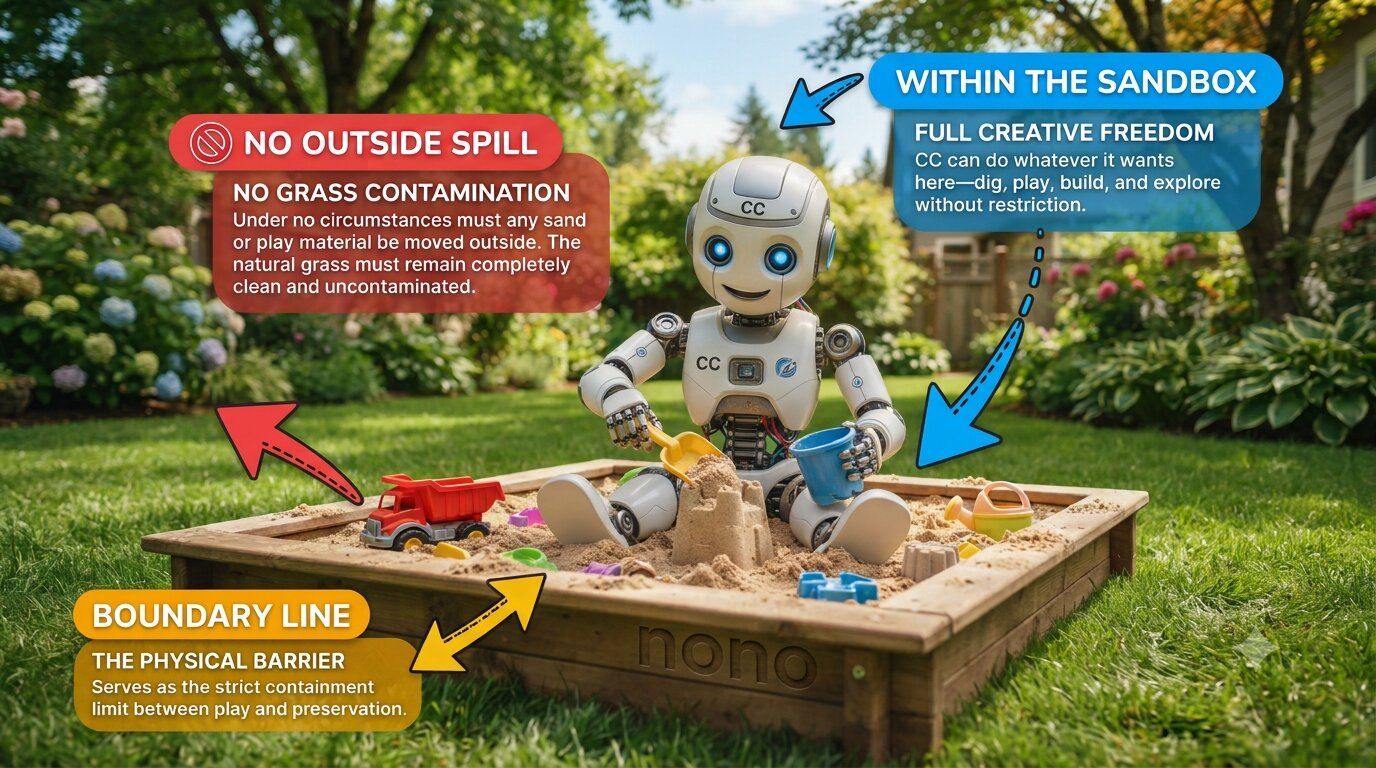
We use the sandbox tool called nono. We configure it so that Claude Code can
- only write in one folder:
~/kingo-pod/claude, - read the rest of kingo-pod to understand how it works,
- reach out to n8n, Langflow and your database,
- access the internet, and
- not do anything else on your laptop.
Where do I find the folder ~/kingo-pod in Windows?
The folder lies in Ubuntu, not in your Windows folders. You still see it in the File Explorer of Windows.
Open the File Explorer and follow the left side:
Linux, then Ubuntu, then home, then your Linux user name, then kingo-pod
Your Linux user name is the name you chose when Ubuntu started for the first time.
In there, you find the folder claude. It is the one folder where Claude Code can write.
Typically, Claude Code uses the Claude models from Anthropic. Here, we use it with the model GLM 5.3 Flash, paid with the OpenRouter key you already have.
Quiz. Claude Code asks you before it does something on your laptop. Why do we still put it into a sandbox?
- Because people get tired of the questions and just say yes
- Because Claude Code is faster in a sandbox
- Because n8n needs it
Show the answer
Because people get tired of the questions and just say yes. Think of a program that asks you 50 times a day: “May I do this?” After a while, you click yes without reading. The sandbox is a fence around Claude Code: whatever you click, Claude Code cannot get out.
1. Update kingo-pod to get the new command kingo claude
Open a terminal (in Windows, start WSL/Ubuntu) and run this one line:
cd ~/kingo-pod && ./kingo updateWhat does this line mean? It has five pieces. Match each piece with what it does.
| Piece | What it does |
|---|---|
cd | go into a folder (“change directory”) |
~/kingo-pod | the folder kingo-pod in your home folder (~ is short for your home folder) |
&& | and then, but only if the part before worked |
./kingo | run the program kingo that lies in this folder (./ means: right here) |
update | tell kingo what to do: get its newest version |
So the whole line says: go into the folder kingo-pod, and then let kingo update itself.
When it is done, run
./kingo helpYou should see a line that starts with kingo claude.
2. Install Claude Code and its sandbox
One line installs three programs: nono (the sandbox), psql (so that Claude Code can talk to your Postgres database) and Claude Code. Run the command in the terminal:
On a Mac:
brew install nono libpq && curl -fsSL https://claude.ai/install.sh | bashOn WSL (Ubuntu in Windows):
curl -fsSL https://nono.sh/install.sh | sh && sudo apt install -y postgresql-client && curl -fsSL https://claude.ai/install.sh | bashAlready using Claude Code?
Run the command anyway: it installs Claude Code the way Anthropic recommends, or brings it up to date. Your own settings and your login stay as they are.
Did you install Claude Code with Homebrew or npm instead? Then you now have two installations. ./kingo claude always takes the new one.
To keep only the new one, remove the old one:
- Homebrew:
brew uninstall --cask claude-code - npm:
npm uninstall -g @anthropic-ai/claude-code
3. Make a key in n8n
Claude Code works on your workflows through n8n’s API. For that, it needs a key from n8n.
- Open n8n at http://localhost:5678 and sign in.
- Click Settings at the bottom of the left sidebar, then n8n API.
- Click Create API key. In the window Create API Key:
- Label:
claude - Expiration: Never. Then the key works for the whole course.
- Label:
- Click Save. Copy the key and keep it for step 4: n8n shows it only once.
4. Start Claude Code and give it its keys
In the terminal, run:
cd ~/kingo-pod && ./kingo claudeAlways start Claude Code for the course this way. A plain claude starts a standard Claude Code, without the sandbox
and without the course settings (what is different).
The first time, kingo claude asks for two keys. You do not see a key as you paste it: that is on purpose.
- Paste your OpenRouter key (or your group’s key) and press Enter.
- Paste the n8n key from step 3, and press Enter.
Don’t I need to give it a key to Langflow?
kingo-pod can make this and hand it to Claude Code. To be honest, if you have superuser access to the database used by Langflow (and by n8n), and to the file system, then you can get a lot of credentials. Feel free to ask Claude Code more about this later. And while you’re at it, you can ask how an admin can extract credentials saved to n8n.
Then Claude Code starts and asks a few questions of its own:
- Pick a theme for Claude Code that you like, and press Enter.
- Do you trust the files in this folder? Choose Yes.
You see Claude Code waiting for your first words. Well done: your coding agent is set up.
5. Let’s try it out
Type this and press Enter:
List my n8n workflows and tell me in one sentence each what they do.Before Claude Code runs a command, it asks you. Read what it wants to do, then agree. You should see WS2.0, WS2.1, WS2.3 and WS2.4, each with a sentence. That is Claude Code reading your n8n.
To leave Claude Code (and to get back to the terminal), run
/exitSometimes when exiting Claude Code, you get a question from nono sandbox, if it should give Claude Code further permissions. Only add something if you know what you’re doing.
Now you can continue using this terminal as usual (you can also just open another one like you can open another tab in your browser).
Quiz. Claude Code listed your n8n workflows. Did it change anything in your n8n?
- Yes
- No
Show the answer
No. It only read your workflows, through n8n’s API with the key from step 3. A change would be a command of its own, and in manual mode Claude Code asks you before it.
6. See the instructions Claude Code reads at every start
Claude Code reads the file AGENTS.md in its folder at every start (actually, it reads CLAUDE.md which here just has a link to AGENTS.md). You can have a look inside (the cat command just prints the content of the file into the terminal and you can continue using the terminal as usual):
cat ~/kingo-pod/claude/CLAUDE.mdAnd
cat ~/kingo-pod/claude/AGENTS.mdWith your team’s rules in AGENTS.md, Claude Code builds the way your team decides: the same names, the same contracts between flows and between tools.
Start Claude Code again with
cd ~/kingo-pod && ./kingo claudeand ask:
What are our team's rules?Claude Code should say that your team has not added its rules yet. That is right, and it shows that Claude Code has read AGENTS.md.
How do I change AGENTS.md myself?
Open it in a text editor, like any text file:
- On a Mac, this line opens it in TextEdit:
open -e ~/kingo-pod/claude/AGENTS.md - On Windows, in the Ubuntu app, this line opens it in Notepad:
cd ~/kingo-pod/claude && notepad.exe AGENTS.md
Change it, then save with Cmd+S (Mac) or Ctrl+S (Windows).
Or do it in nano, an editor inside the terminal. It works the same on a Mac and in the Ubuntu app. Do not confuse nano with nono:
- nano is the opposite of a huge tool like MS Word for a simple task.
- nono is the opposite of saying “yes, yes, …” to Claude Code.
nano -w ~/kingo-pod/claude/AGENTS.md(-w keeps long lines as they are.)
- Move with the arrow keys, and type as usual. A mouse click does not move the cursor.
- Paste: on a Mac Cmd+V, in the Ubuntu app a right click.
- Save: Ctrl+O (on a Mac the key control, not command), then Enter.
- Leave nano: Ctrl+X.
The two lines at the bottom of nano show these keys: ^O means Ctrl+O.
Claude Code reads AGENTS.md only when it starts. After a change, leave Claude Code with /exit and start it again.
Try it: add this line at the very end of AGENTS.md, with your own language if it is not Korean:
Always answer me in Korean.Save, /exit and start Claude Code again with
./kingo claudeand ask it something: it answers in Korean. Keep the line, or delete it again.
It’s a good idea to add your team’s design rules to AGENTS.md.
Quiz. You change AGENTS.md while Claude Code is running. When does Claude Code follow the new rules?
- At once
- After its next start
Show the answer
After its next start. Claude Code reads AGENTS.md only when it starts. So leave it with /exit and start it again
with ./kingo claude.
Next: Part B · How Claude Code works here →
If something goes wrong
Find your step. Still stuck? Write to Frank: then we fix it together.
Step 1
| What you see | What to do |
|---|---|
./kingo help shows no kingo claude | Run ./kingo update again and look for errors near the end. Send Frank what ./kingo version shows. |
Step 2
| What you see | What to do |
|---|---|
brew: command not found (Mac) | The line needs Homebrew. It is missing, or your Terminal does not find it. Do Step 1 — Install Homebrew of the kingo-pod Mac guide, with its “Next steps” lines. Open a new Terminal window and run the line again. |
Unable to locate package (Windows) | Run sudo apt update, then the line again. |
| A download error | Check that you are online, then run the line again. |
| The line says that a folder is not on your PATH | Nothing to do: ./kingo claude finds the programs anyway. |
Step 3
| What you see | What to do |
|---|---|
| You closed the window before you copied the key | Make a new key the same way. In the list on the page n8n API, delete the old one. |
Step 4
| What you see | What to do |
|---|---|
nono is not installed or Claude Code is not installed | Run the line of step 2 again. |
Sandbox initialization failed: WSL2: proxy-only network mode cannot be kernel-enforced (Windows) | Your kingo-pod is too old for Windows. Run ./kingo update, then step 4 again. After the update, ./kingo version shows 1.4.6 or newer (on Kingo 1.5: 1.5.5 or newer). |
WARNING: WSL2 insecure proxy mode (Windows) | Nothing to do: on Windows, this line comes at every start. There, the sandbox cannot lock the network, and in this course Claude Code may use the internet anyway. |
n8n and Langflow must be running first | Run ./kingo up, then step 4 again. |
n8n did not accept the key | Make a new key as in step 3. Then run ./kingo claude again: it asks for the key. |
openrouter did not accept the key | Check the key Yanbo gave you. Then run ./kingo claude again: it asks for the key. |
| Claude Code asks you to log in to Anthropic | Do not log in. Type /exit and write to Frank. |
Model "z-ai/glm-5.3-flash" isn't recognized · context assumed to be 200k tokens | Nothing to do: Claude Code works. After ./kingo update, the line no longer comes (./kingo version shows 1.4.10 or newer; on Kingo 1.5: 1.5.9 or newer). |
removed an Anthropic login | You logged in to Anthropic inside ./kingo claude. kingo removed that login again: the course does not use it, and Claude Code could read it there. Your own Claude Code login is not affected. |
Step 5
| What you see | What to do |
|---|---|
| Claude Code says it cannot reach n8n | Check that n8n opens at http://localhost:5678. If not, run ./kingo up in your own terminal, then ask again. |
Claude Code does not ask before it runs a command, and the line under your text says auto mode on | Your kingo-pod is too old: there, a newer Claude Code starts in auto mode, where a model decides which commands run. It may refuse things that you asked for. Type /exit, run ./kingo update, then ./kingo claude. The line under your text then says manual mode on, and ./kingo version shows 1.4.9 or newer (on Kingo 1.5: 1.5.8 or newer). |
Step 6
| What you see | What to do |
|---|---|
No such file or directory | ./kingo claude makes these files at its first start. Do step 4 first. |